Every student. Every lecturer. No clashes.
TimelyNodes builds your semester timetable from the rules your institution already applies, guarantees that no student or lecturer is double-booked, and publishes a personal timetable to every student.
Timetabling sits at the end of every other process.
Module data arrives late, staffing changes after the draft, and the timetable absorbs every decision made upstream. The result is familiar to every timetabling office.
A timetable that keeps moving
Weeks of manual adjustment before publication, then a steady stream of repairs after it. Each fix risks creating a new clash somewhere else.
Clashes found by students
Electives across departments and shared modules are where clashes hide. Too often, students are the ones who find them, in week one.
Rooms that look full on paper
UK teaching rooms are occupied 20% of the time on average, yet the timetable shows them booked. Estates asks for evidence the timetable cannot give.
Knowledge held by one person
The rules that make the timetable work live in one experienced timetabler's head. When they are away, the process stalls.
Room occupancy: Smart Space Forum data across more than 30 institutions, reported by Times Higher Education, July 2026.
What changes with TimelyNodes.
An optimisation engine does the placement. Your team keeps control of the rules and of every decision to publish.
No clashes, guaranteed
No student is timetabled into two sessions at once, whether they follow a whole cohort or take electives across three departments. No lecturer is either. This is enforced on every solve, not traded against other goals.
Your rules, applied every time
Lecturer availability, preferred teaching hours, lighter Fridays, room capacity. Each rule is written once, weighted by how much it matters, and applied consistently to every solve.
Every change visible before it goes live
Before publishing, see exactly how many sessions moved time, changed room or changed lecturer against the live timetable, and whether conflicts went up or down.
A personal timetable for every student
Each student sees only their own sessions, on their phone, and can subscribe in Google, Outlook or Apple Calendar. When you republish, their calendar updates.
From your data to a published timetable in four steps.
- Import
Load the exports you already have
Rooms, modules, sessions, staff and enrolments as CSV. Reading weeks and alternate-week labs come in as written.
- Configure
State the rules once
Availability, preferences and fixed sessions, recorded against the people and rooms they concern.
- Solve
Solve and review
A pre-solve check flags missing data first. The result is compared line by line with what is live.
- Publish
Publish with a record
Every published version is kept, so you can always show what students were told and when.
Built for how universities teach.
Generic scheduling tools make you flatten your curriculum to fit them. TimelyNodes models it as it is.
Modules made of sessions
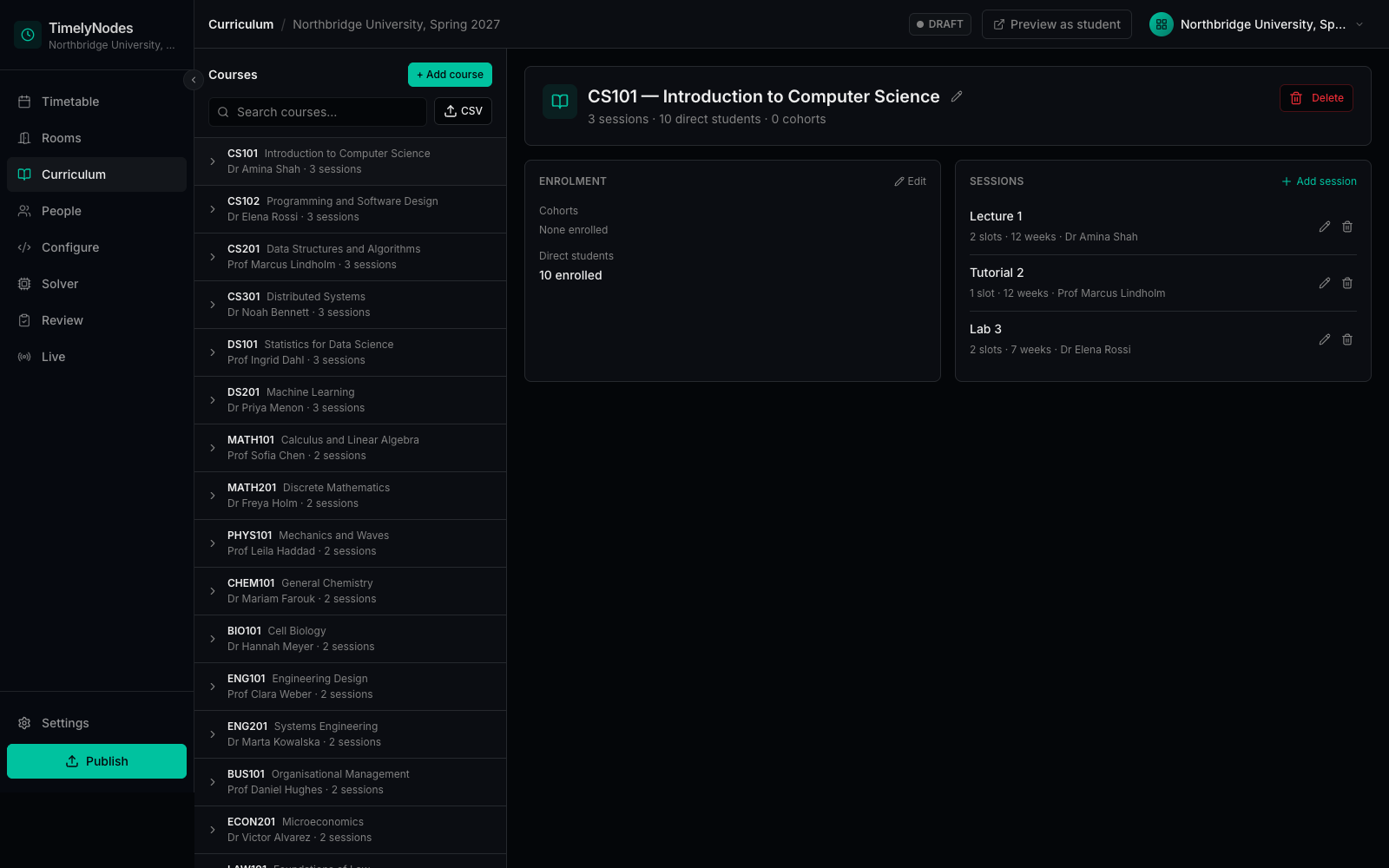
Two lectures, a tutorial and a fortnightly lab are four sessions, each placed on its own merits and each with its own lecturer where needed.
Teaching weeks that differ
Reading weeks, alternate-week labs and modules that start mid-semester. Each session runs in exactly the weeks you specify.
Cohorts and individual choices
Enrol whole cohorts, individual students, or both.
Your teaching day
Hourly or fifty-minute slots, with your own start times for each day.
Evidence for estates
Room utilisation by week and lecturer workload, from the published timetable.
Questions timetabling teams ask first.
Do we have to replace our student records system?
No. TimelyNodes works from the CSV exports your student records system already produces. Direct integrations are built with pilot partners, for the system they run.
We already have timetabling software. Why change?
You do not have to decide on trust. In a pilot we rebuild a term you have already timetabled, from your own data, and compare the result with what you published. If your current system is being moved to the cloud or losing on-premise support, that comparison is worth having before you commit to the migration.
What happens when our rules cannot all be met?
Clash rules are never relaxed. Preferences are weighed against each other by the weights you set, and the timetable satisfies them as far as the rooms, people and weeks allow.
How quickly does it solve?
A department-sized timetable solves in seconds. In our benchmarks, a 2,100-session timetable solves in under six minutes. Rules that link sessions to each other take longer, so in a pilot we measure your own data rather than quote a best case.
How is our data protected?
Every customer has its own database, and the optimisation engine never receives a name, email address or student identifier. The security page sets out the detail for your IT and data-protection reviewers.
Test it on a term you have already timetabled.
We rebuild it from your own data and show you the difference: clashes, room use and preferences met. You keep the comparison, whatever you decide.