Everything a timetabling office does, in one place.
The engine finds the timetable. The platform is where your team brings the data in, writes the rules down, checks the result and publishes it to everyone it affects.
One workflow, start to publish.
Every screen shown is the working product. Open the same screens in the live demo.
-
Import
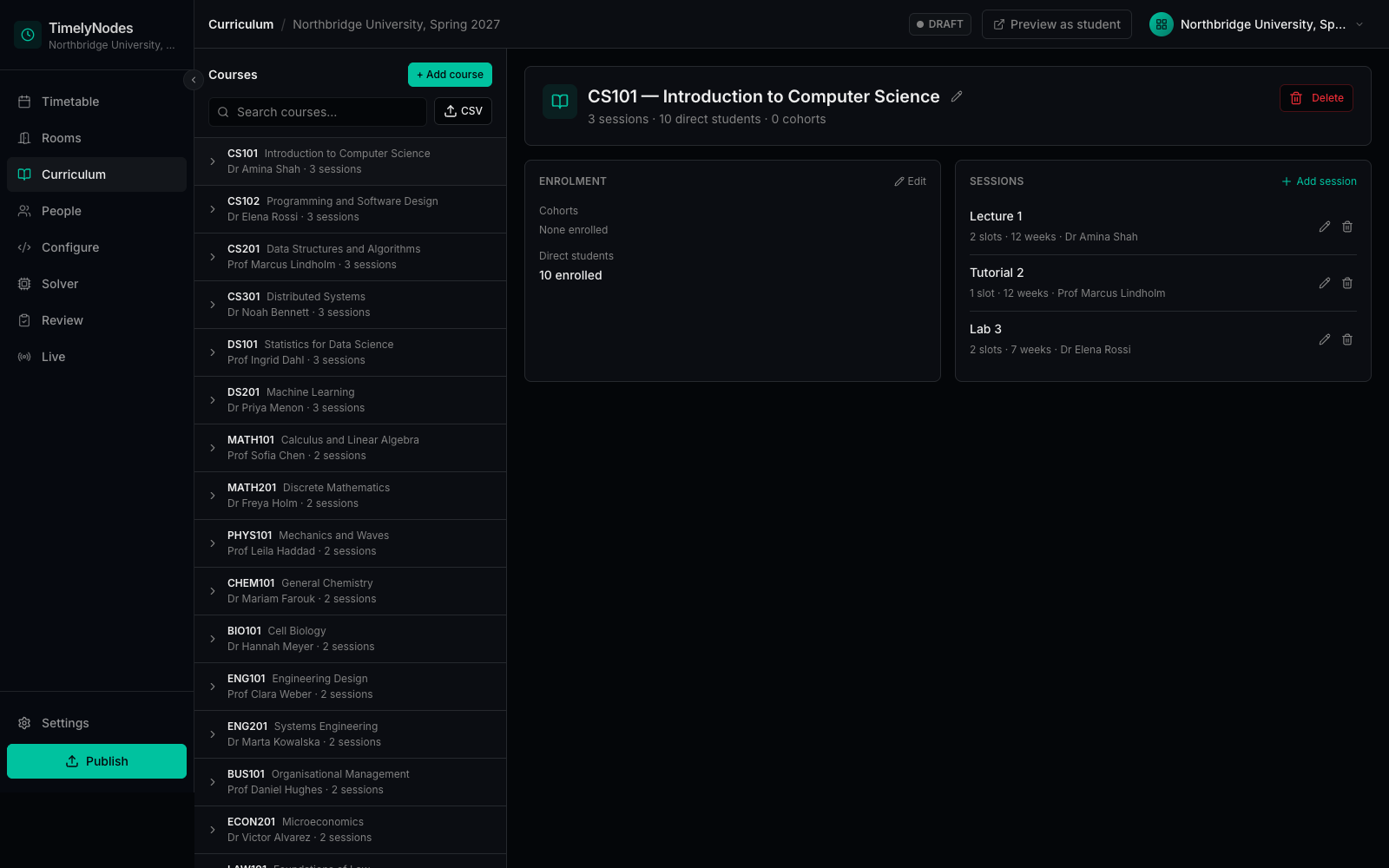
Two CSV files, not a migration project
One file for rooms, courses and sessions, one for lecturers and students. Week patterns such as a reading week or alternate-week labs come in as written.
-
People and rooms
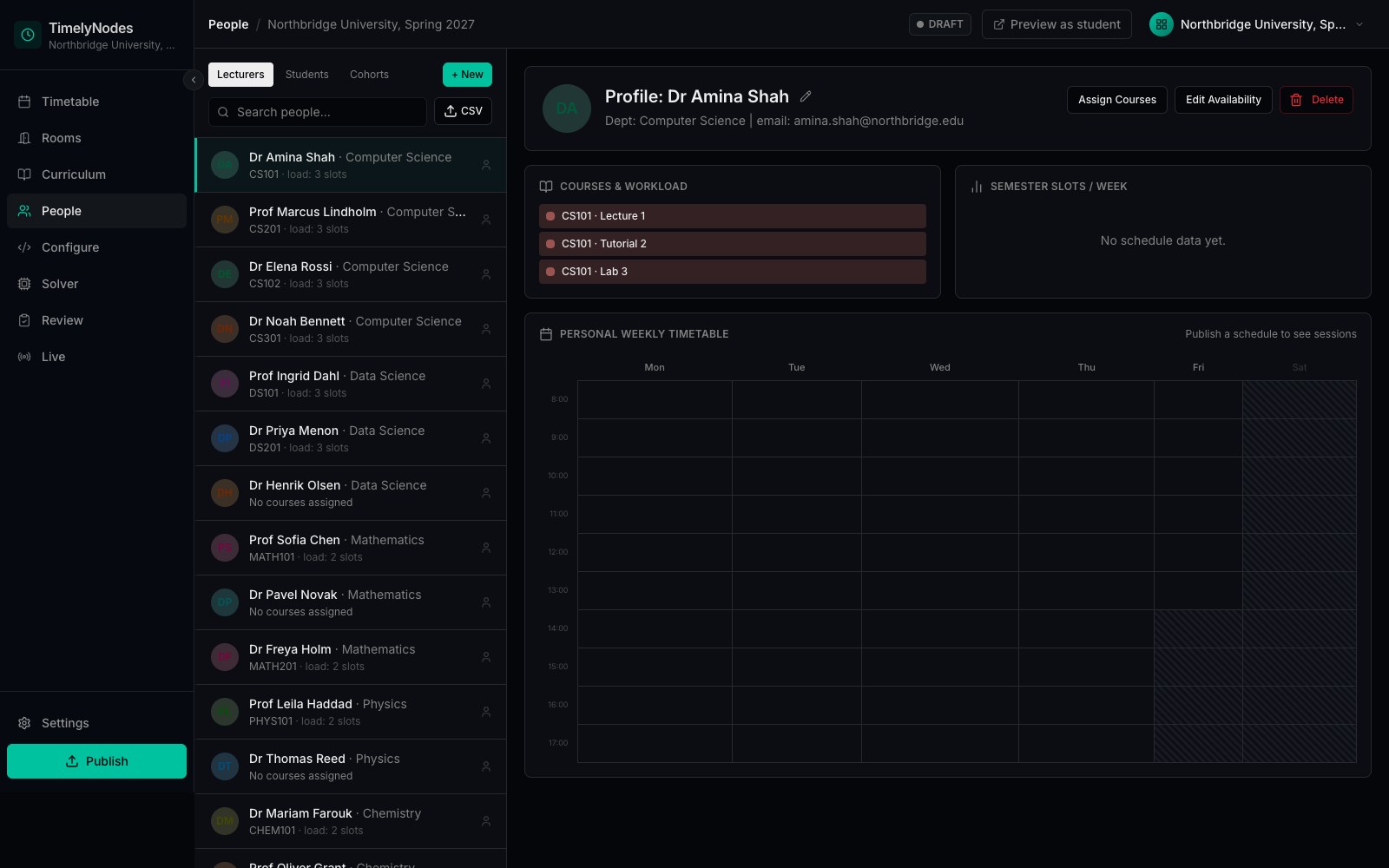
Availability where it belongs
Block a lecturer's research afternoon or a room's maintenance window on the person or room itself. The solver treats a blocked time as off limits.
-
Configure
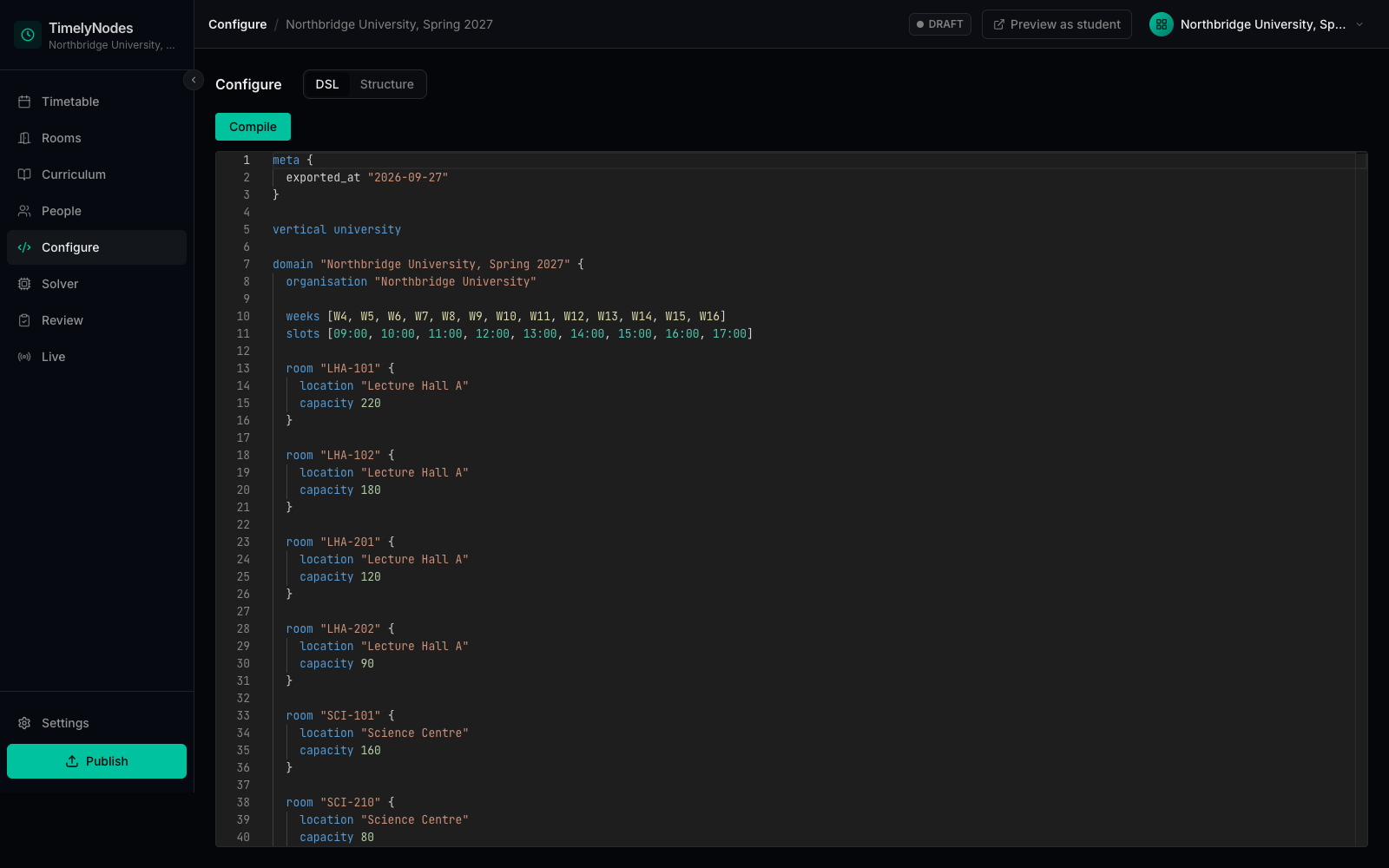
Rules as a readable file
The whole domain can be read and edited as text in TNL, our timetabling language, so a change of rule is something a colleague can review.
-
Solve
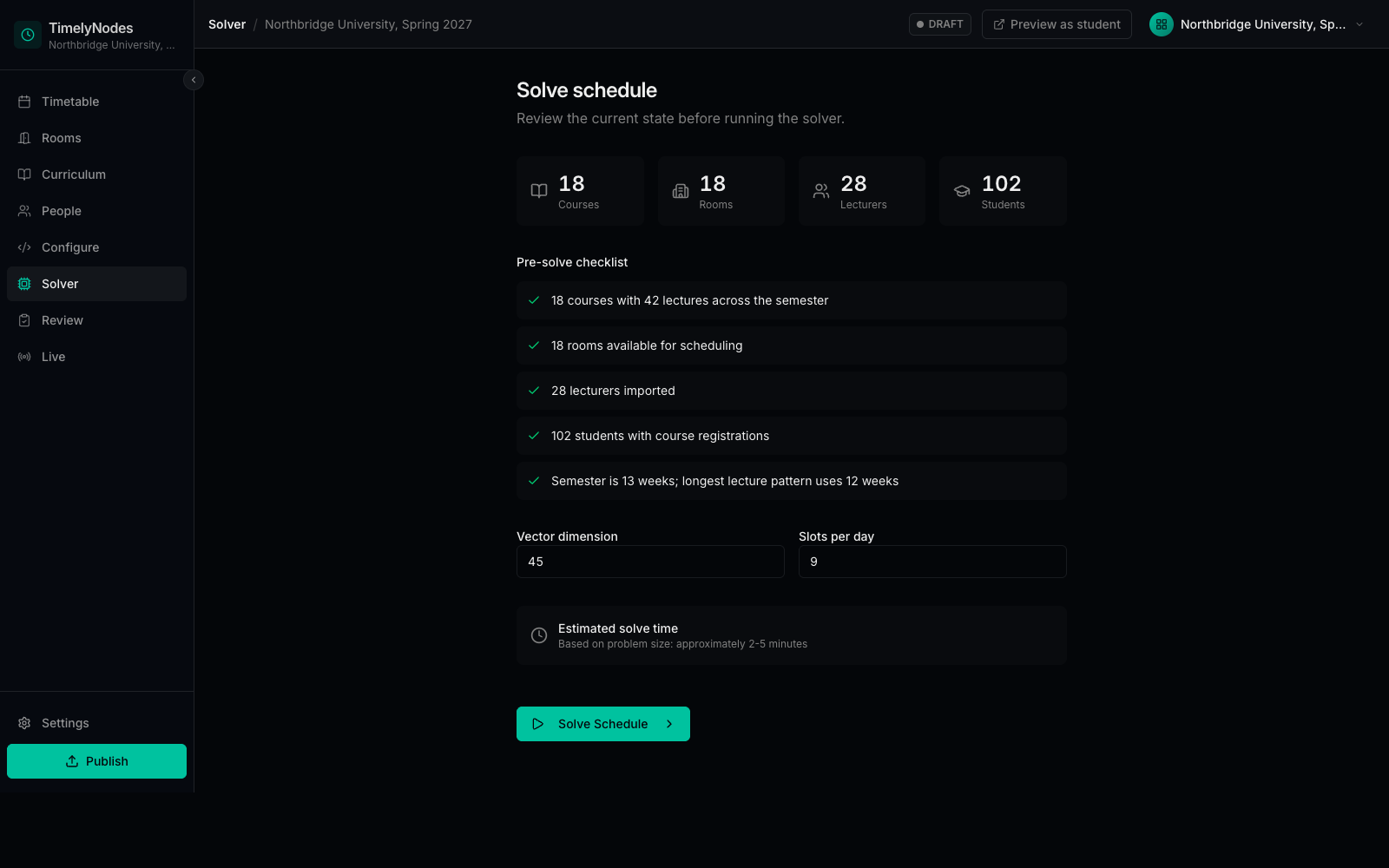
Checks before the run
A pre-solve summary counts what will be scheduled and flags rooms without capacity or courses without sessions.
-
Review
See it before anyone else does
Compare the new timetable with what is live, check room use and lecturer load, then publish with a note on why.

After you publish.
Publishing is where most tools stop. It is where your students start.
A personal week for every student
Only their sessions, with rooms and times, on a page built for a phone.
Calendar feeds
Subscribe once in Google, Outlook or Apple Calendar. A republished timetable updates the feed.
Every version kept
A published timetable is never edited in place. Changes publish a new version, so you can always see what students were told and when.
An API for everything
Every screen is built on documented endpoints, so your own systems can read the same data. For developers.
Click through it yourself.
The demo is the same portal on a fictional university, running entirely in your browser.